How an AI-Native Startup From SF Works and Builds Its Product
An insider's look into the workflows, tools, and culture powering a modern AI-first engineering team.
This week's newsletter is sponsored by Atono.
Your engineers are moving faster. Are they building the right things?
Atono surveyed 350 engineering professionals to find out where AI product development actually breaks down. The problems weren’t primarily about tooling, resourcing, or engineering capacity.
They were upstream, in planning, in how product knowledge is shared, and in the gap between what product teams decide and what engineering teams receive.
The Context Gap Industry Report breaks down exactly where teams lose velocity and where engineering leaders can get it back.
In the report, you’ll find:
Why 52% of teams have no shared AI context, and why larger orgs are significantly worse
How planning ambiguity silently doubles the cost of development work
Why AI adoption at the code layer, without clarity at the planning layer, mostly accelerates rework
What the teams with the least rework are doing differently
If you’re responsible for delivery across one or more teams, this report shows where the real leverage is.
Thanks to Atono for sponsoring this newsletter. Let’s get back to this week’s thought!
Intro
Just got back from the trip in San Francisco, where I talked with different companies/people and also went to the Salesforce TDX conference. Will be sharing some of the insights from my conversations in upcoming articles.
I’ll be coming back to SF in May as well, so definitely feel free to reach out if you want to meet!
One of the companies I had the pleasure to meet and get to know was Weave.
I had the pleasure of meeting with them at their office, which has a clear “hacker” vibe, especially since other startups share the space as well, and it feels like a big group of people all working and building cool stuff.
Most of the time, I spent talking with Andrew Churchill, Co-Founder & CTO, and Adam Cohen, Co-Founder & CEO. And also been in touch with Brennan Lupyrypa, Founding GTM Engineer, for quite some time.
Today, I am sharing insights on how they work and build their product.
Let’s start!
They are building an engineering intelligence platform for the AI era
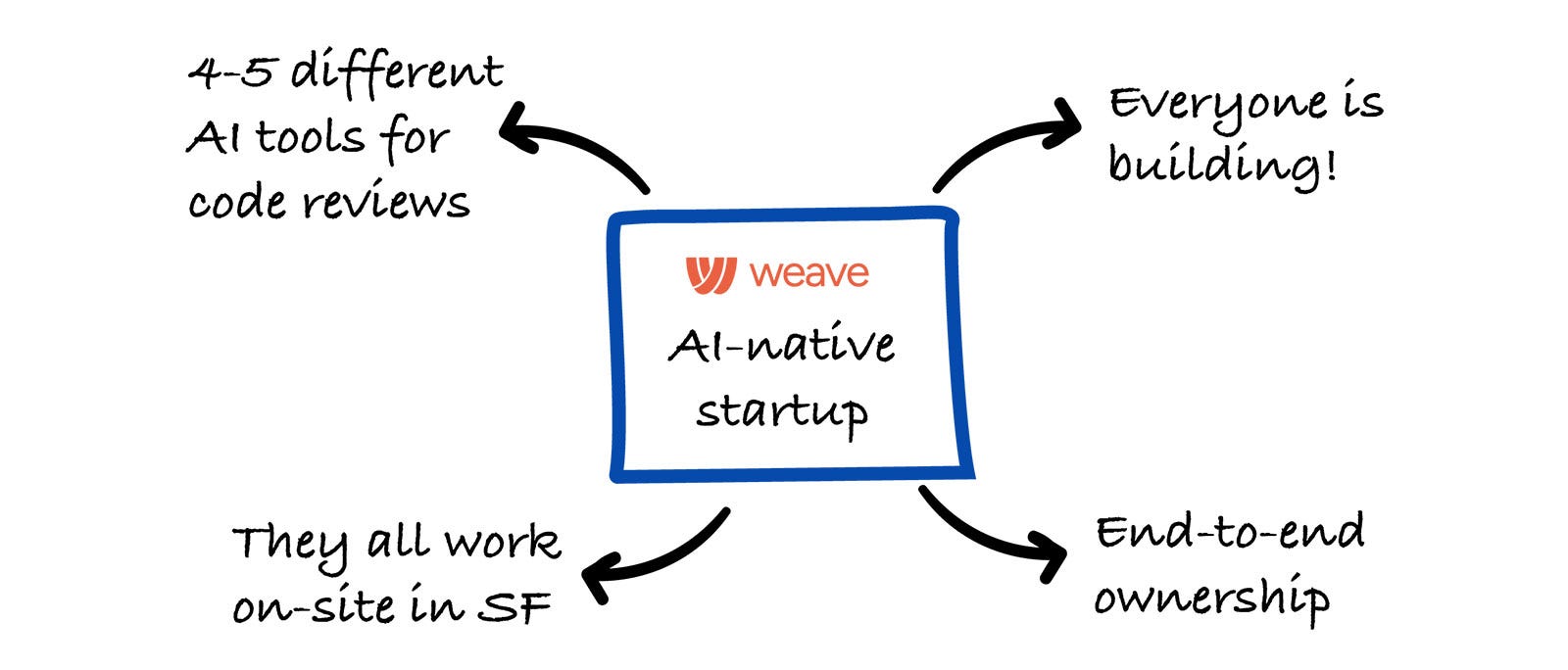
They’re a seed-stage startup with a team of 10, growing to 13 or 14 soon. The new hires over the next month will all be engineers. They all work in-person in San Francisco, typically five (or more) days a week.
They are building a platform that analyzes what engineers do, how much work gets done, its quality, and how effectively AI is used, then helps teams use those insights to make better decisions and improve.
Their tech stack is straightforward: frontend in React and TypeScript, backend in Go, and ML and agent work in Python.
One of the more advanced areas they’re working on is training their own models to analyze engineering work. They build on top of open-source LLMs and apply fine-tuning and reinforcement learning to improve them.
The main tools they are using
AI coding tools
Their main development workflow is split between Cursor and Claude Code. Some engineers use one, some the other, it’s mostly a matter of preference, and people switch over time.
Both tools are great from their pov, and the team focuses on building shared skills and context that work across both.
They haven’t built their own coding or background agents, since it’s not the best use of time at their current stage. Instead, they’ve focused on 2 high-impact internal tools.
2 self-built internal tools
One is a CLI that gives access to their full local development environment, where engineers can easily handle tasks like running migrations or connecting to staging without needing extra help.
The other is an internal admin dashboard. They initially used Retool, but moved away from it to build their own solution directly in their app. This allows both technical and non-technical team members to quickly access data, troubleshoot issues, and make changes, like toggling features or enabling paywalls, without involving engineers.
This internal dashboard has been a major productivity boost for them. It enables self-service across the team, speeds up debugging, and is easy to iterate and add more things when needed.
PM/Doc tools
They use Linear as their main task backlog and prioritization tool. Roughly 60% of work is tracked there, but not everything, as speed is a core priority for them, so if something can be done immediately, they just do it without creating a task.
Linear is mainly used for work that isn’t handled right away, and they often tie customer requests to those tasks.
They also make use of Linear’s integrations, for example, turning Slack discussions into tickets without needing to open the UI. Overall, Linear is their closest thing to a full task tracking system, but they intentionally keep it lightweight.
They also use Notion, though not much for engineering. They prefer keeping documentation close to the code rather than in a separate tool, since it’s easier to maintain and more accessible for their AI agents.
Their process for building a new feature from 0 → 1
For more complex work, they usually start with a quick 30-minute discussion. They’ll gather, sketch ideas on a whiteboard, and align on the initial approach, what the MVP looks like, who the first users are, and how they’ll validate and iterate.
Their engineering team is small, so most projects are owned by a single person. Even when multiple people are involved, the work is typically split into parallel, loosely connected streams rather than tightly coordinated efforts.
From there, they try to move quickly and focus on shipping early. Features are released behind flags, often tested internally first since they’re building for engineers and use the product themselves every day. This allows them to quickly assess whether something is actually useful.
If a feature is driven by a specific customer request, they’ll build it and share it early with that customer, even if it’s rough, and iterate rapidly based on feedback until it’s ready for broader release.
They avoid heavy upfront planning. They rarely write detailed specs or PRDs, and instead rely on clear direction, high ownership, and fast iteration to get to the right outcome.
Engineers are highly empowered to build things they believe will be useful
Many features start as small “side projects” rather than formal initiatives.
For example, their internal dashboard wasn’t planned as a dedicated project, it evolved gradually alongside other work, as a side quest, done with agents running in the background with occasional check-ins in between other main tasks.
This same pattern applies to other features. Iterations, experiments, and smaller improvements often come from individual initiative.
Another example that Andrew has mentioned is a custom dashboard feature that emerged because an engineer took a strong interest in it, built it in parallel with other work, tested it with a few users, and then rolled it out more broadly.
Overall, important features don’t always start as top priorities for them, they often grow organically from engineers exploring and iterating on ideas they see as valuable.
How do they decide what to build vs what not to build?
They run a weekly session to review everything that’s come through. During these sessions, they decide what matters most and ensure the highest-priority items are aligned with what engineers are working on.
They also use this time, along with occasional longer discussions, to set a broader direction. This includes identifying key bets, understanding where the product is headed, and incorporating customer feedback.
The goal is to keep the most important initiatives consistently at the top of the priority list.
Compared to more traditional workflows, this process is much more lightweight and frequent. In the past, similar alignment might have happened monthly or quarterly because planning and execution were more expensive.
Now, because AI tools allow them to move much faster, alignment happens weekly to keep pace with rapid iteration.
This flexibility works because engineers aren’t blocking everything else to pursue a single idea. Instead, they can explore multiple ideas in parallel, so new ideas can be tested without disrupting core priorities.
They are very anti-meetings, especially for engineers
Long gaps between meetings make it hard to focus, so they avoid interrupting deep work whenever possible.
The only meeting they have is a daily stand-up at 9 AM with the whole company attending. It helps keep everyone aligned and moving in the same direction.
For project planning or kicking off a new project, they’d usually spend around 30 minutes after the stand-up meeting to avoid breaking up focus time.
Most day-to-day collaboration happens informally. Engineers sit together in the same area, making it easy to quickly turn and discuss things in real time instead of relying on meetings.
They also find working together in the office more enjoyable than working remotely. It creates a stronger sense of connection, shared energy, and teamwork as they tackle hard problems together.
They try not to plan projects more than one month ahead
They have clear strategic pillars for the next three to six months and a broader vision for the next one to five years. But they don’t plan projects in detail more than a month ahead.
This is intentional, as things change too quickly. Many of the areas they’re working on today, like agent observability, weren’t even on the radar a couple of months ago. As new trends emerge and customer needs shift, priorities evolve just as fast.
Because of that, long-term, detailed planning would quickly become outdated. Instead, they stay flexible and adapt as new opportunities appear.
They don’t require human code reviews
Every pull request is reviewed by multiple AI tools, including Cursor Bugbot, GrepTile, Cubic, Wispbit, and Continue. Running several reviewers in parallel increases the chances of catching issues. And if even one of them flags something important, it’s worth it.
It is important to mention that they are going to make an internal version similar to the Continue AI code review tool, as they see it as a really great one, so they’ll support their version of it.
They continuously evaluate how effective each tool is and adjust their setup over time. When recurring issues come up, they try to encode those learnings into their AI reviewers, automating feedback wherever possible.
Human code reviews are optional for them. Engineers can ask for input if they want it, but it’s not required, which helps maintain speed while still allowing collaboration when needed.
New engineers initially get more hands-on review of their code
Their first few PRs are reviewed closely, often line by line, to build alignment and ensure they understand the codebase. But this goes down quickly, after a couple of PRs, reviews become lighter, and soon, engineers are trusted to work independently.
The expectation is clear: engineers own their code. They need to understand what they’re building and take responsibility for it. With that ownership and support from AI reviewers, there’s less need for mandatory human reviews on every change.
This approach significantly increases development speed. While it can introduce some risk to quality, they see the tradeoff as worth it. Bugs do happen, but they’re usually fixed quickly, often within minutes, which helps maintain trust with users.
They continue to monitor this balance and are investing more in automated testing, including AI-driven QA, to reduce risk as the team grows.
They believe that deeply understanding the system is essential to being a great engineer
They are a good example of an AI-native team, but throughout our conversation with Andrew, it has become clear that while AI tools are powerful, deeply understanding the tech and the domain that you work with is essential in order to be successful.
They draw a clear distinction between “vibe coding” and being an effective engineer who knows how to do AI-assisted engineering. The latter requires strong system-level understanding, which allows you to guide and coordinate AI agents with intention.
And not just blindly asking tools to fix issues, such engineers use context and judgment to ensure solutions fit into the broader system. Without that understanding, relying on AI can quickly lead to messy, hard-to-maintain code.
They favor AI-assisted PRs instead of agentic PRs
With AI tools like Devin or OpenClaw, you can assign them a user in GitHub, and they can open PRs based on your requirements themselves (Agentic PRs).
Andrew mentioned that while such tools are great, they find it a lot more draining when you need to closely review such PRs created, and wait for the fix.
When you work with tools such as Cursor or Claude Code, you have the full context of the change that you are working on, so you gradually develop the context of the changes and ensure its also implemented correctly.
So, you are the one who opens a PR, but the change is done through AI-assisted engineering. That’s the preferred way of working for them.
Investigating and debugging production issues is a great use case for AI for them
When a problem is reported, tools like Claude Code can often identify the root cause in a single pass, something that used to take much longer.
Previously, debugging required manually digging through logs, session recordings, and data sources. Now, with the right setup, AI can follow a similar process automatically.
They still take a “trust but verify” approach, but AI usually gets to the correct root cause. And if it’s not correct, they review its reasoning, which helps them find the root cause much faster.
A key enabler is giving AI structured access to the right systems:
production logs,
a read-only replica of the database,
monitoring tools (they use SigNoz, an open-source alternative to Datadog),
codebase context,
Doing that allows AI to debug issues much faster and more effectively.
As a result, handling production issues is far more efficient. Even engineers on support rotations can spend time on other things, since diagnosing problems takes significantly less effort.
Most of their code is AI-generated
They are regularly tracking how much of their code is AI-generated versus manually. And interestingly, as we were talking, Andrew pulled out his phone and mentioned that last week their percentage was 75%.
So, for them, it is rather an exception to go into the IDE and type out the code manually.
And funnily, Andrew mentioned that he is probably the most likely on the team to fall back to more manual approaches, mostly out of habit.
Additional use cases for AI
Planning and research
When starting a new project, they often run deep research to explore possible approaches and existing solutions.
For example, when training a recent model, they spent significant time researching different reinforcement learning methods and how they might apply (or not) for their case.
Recruiting process
AI also plays a major role in their recruiting process. Most steps are automated or AI-assisted, outbound sourcing is handled by agents, and take-home assignments are graded by AI (which proved accurate enough that they stopped double-checking manually).
Candidates are allowed to use AI on take-homes, since that reflects real-world work. The only exception is an initial technical interview focused on problem-solving, where AI isn’t used.
GTM Internal tools
The go-to-market team builds internal tools to automate workflows like outreach. One example is LinkedIn messaging automation: responses from prospects flow into Slack with AI-generated reply suggestions, which the team can quickly review and edit.
There are more (similar) kinds of tools that are built quickly by people outside of pure engineering and deployed with minimal overhead, something that would have been much harder and slower in a pre-AI environment.
Bonus: 3 cases where AI is not working as well for them
For the end, Andrew also mentioned the 3 cases where AI is not as good for them, and those are:
Building user interfaces
They find that AI often defaults to patterns from its training data, which don’t always match their product’s style or standards, especially for UI. If left unguided, the results can feel slightly off.
To address this, they actively guide the output to ensure it aligns with their design, taste, and overall consistency across the product.
Bigger architectural decision
They find that AI struggles with broader architectural decisions, especially when the required context goes beyond what fits in a single context window.
This is where human engineers provide the most value: bringing system-wide understanding, long-term thinking, and judgment. They ensure decisions fit into the bigger picture, align with future use cases, and follow the right overall direction.
If they can close this gap, they believe it would unlock even more value from AI agents.
Estimations
And a funny one for the end. They find that AI is surprisingly unreliable at estimating effort. Because it’s trained on human data, it tends to give traditional timelines, breaking work into phases that sound like they’ll take weeks.
But in practice, it can often complete the same work in minutes. This mismatch makes its estimates somewhat meaningless (and funny).
Last words
To wrap it all up, what stood out the most is how intentional everything at Weave feels.
They’re not just using AI because it’s a “hot new thing”, they’re rebuilding how engineering teams operate around it. Speed is a priority, but not at the expense of understanding. Autonomy is high, but paired with strong ownership.
And while AI does a large share of the work, humans are still very much in the driver’s seat when it comes to judgment, context, and direction.
Special thanks to the Weave team for sharing all these insights. And also for great hospitality and swag!
Liked this article? Make sure to 💙 click the like button.
Feedback or addition? Make sure to 💬 comment.
Know someone that would find this helpful? Make sure to 🔁 share this post.
Whenever you are ready, here is how I can help you further
Join the Cohort course Senior Engineer to Lead: Grow and thrive in the role here.
Interested in sponsoring this newsletter? Check the sponsorship options here.
Take a look at the cool swag in the Engineering Leadership Store here.
Want to work with me? You can see all the options here.
Get in touch
You can find me on LinkedIn, X, YouTube, Bluesky, Instagram or Threads.
If you wish to make a request on particular topic you would like to read, you can send me an email to info@gregorojstersek.com.
This newsletter is funded by paid subscriptions from readers like yourself.
If you aren’t already, consider becoming a paid subscriber to receive the full experience!
You are more than welcome to find whatever interests you here and try it out in your particular case. Let me know how it went! Topics are normally about all things engineering related, leadership, management, developing scalable products, building teams etc.