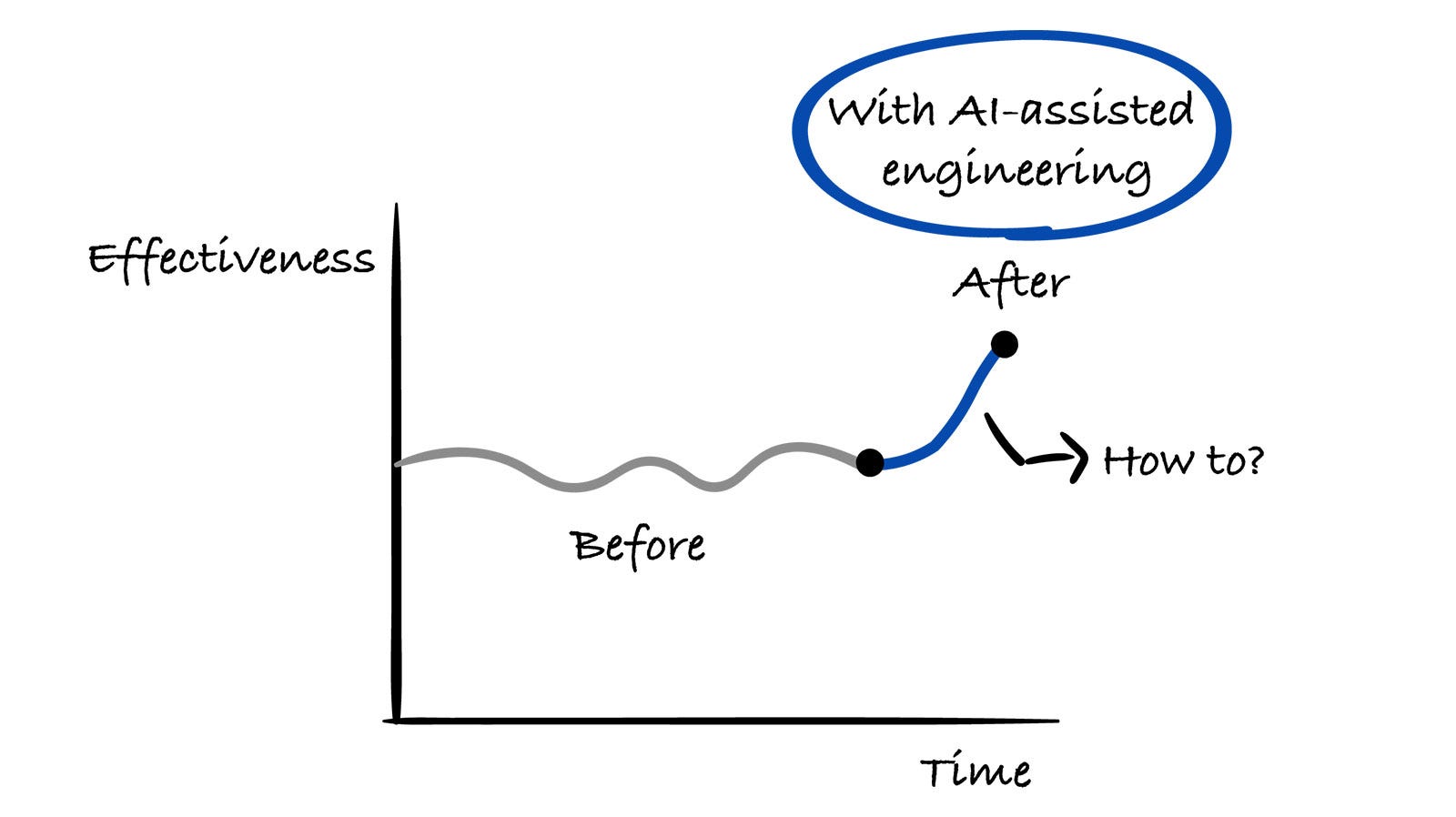
How to Do AI-Assisted Engineering
15 experienced engineers and engineering leaders share their real-world experiences with AI-assisted engineering.
This week’s newsletter is sponsored by Warp.
Introducing Oz: the orchestration platform for cloud agents
Engineers are shipping faster than ever, but agents stuck on local machines don’t scale. Without cloud agent orchestration, there’s no reliable way to scale across your infrastructure, measure impact, or enforce security standards.
Download the report to learn:
Why 75% of companies fail at building their own agentic systems
How teams save hours per engineer per day by using agent automations
What makes 60%+ of PRs agent-generated actually achievable
Thanks to Warp for sponsoring this newsletter. Let’s get back to this week’s thought!
Intro
In this special edition of the Engineering Leadership newsletter, engineers and engineering leaders share how they are doing AI-assisted engineering.
They come from a variety of backgrounds and a range of company sizes, from startups to mid-sized and large organizations.
Our contributors to this article are:
Brian Jenney, Senior Software Engineer, Coupa
Sam Williams, Head of Product Engineering, Pronetx
Owain Lewis, Founder, Gradientwork
Florijan Klezin, Data Engineer, Samotics
Vlad Khambir, Senior Software Engineer, Principal Associate, Capital One
Mauro Accorinti, Software Engineer, Qurable
Lucian Lature, Solutions Architect, Wiley
Tamás Csizmadia, Senior Java Software Engineer, Precognox Kft
Matthew Kyawmyint, Founding Engineer, Humanist Venture Studios
Hans Vertriest, Full-Stack Engineer, Bizzy
Uladzimir Yancharuk, Engineering Team Lead and Senior Full-Stack Engineer, Siena AI
Frances Coronel, Senior Software Engineer, Slack
Gilad Naor, Founder, Naor Tech
Anyell Cano, Staff Engineering Manager, GitHub
John Crickett, Founder and CTO, Coding Challenges
If you are looking to improve your AI-assisted engineering workflow, this is a must-read article for you.
Let’s start!
1. Coordinating AI-Assisted Engineering Across Multi-Repo Workflows, Side Projects, and Code Reviews
Shared by Brian Jenney, Senior Software Engineer, Coupa
Most of the work I’ve been doing spans multiple repos, so I first describe what I want to accomplish, such as “Create an IAM policy and relevant Terraform for repo A to do x, y, and z.”
I then explain the dependencies between the current repo and others that need to be updated, such as “Repo B needs an update to allow repo C to create the resources for repo A,” and provide good examples and files to illustrate what we are attempting to do. Lastly, I ask if the instructions are clear before proceeding.
For side projects, I create larger features in a smaller codebase and lean on AI more heavily to write code after creating a solid set of expectations and feature requirements. For example:
Create an endpoint at [fileName.ts] that does x, y, and z. Here’s an example endpoint doing something similar for reference. A UI component should be created here [someComponent.ts] that can call the API similar to this component [referenceComponent.ts]. Is this clear?
For code reviews at work, we have AI-assisted review in addition to human review. Human reviews tend to catch errors outside code syntax, like unexpected downstream effects or tribal knowledge.
We might get feedback like “This naming convention for that service won’t work because our script depends on this particular text to be present” or “That pattern is outdated and you can now use it this way to do this thing with a new library that we’re using.”
As far as I’m aware, we don’t use any AI tools for deployments that need a human review and final acceptance.
Our organization gives us access to both Claude and Cursor. I mostly use Claude, using Cursor rarely.
2. Building a Full AI Workflow on Top of Claude Code and Custom Skills
Shared by Sam Williams, Head of Product Engineering, Pronetx
Ideation
When generating ideas, we use Claude Cowork with a few skills. We have the option to use the BMAD (Build More Architect Dreams) Method, CCPM (Claude Code Project Manager), or our custom skill, all of which attempt to feed into our standardized requirements format.
These options get us better requirements and allow us to add our specific questions, which would normally cause a follow-up call.
Building
For building, we use Claude Code and a series of custom skills and Model Context Protocols (MCPs) tailored to our stack and architecture. We start by having AI convert the requirements document into a development plan.
We then review the plan and make any modifications. We catch quite a few things at this stage, such as requirements issues or needed improvements in the planning skill. Tests are written as you write the code.
We also have Claude run a second agent to review any tests written to make sure they aren’t just testing that a mock is a mock.
Review
We have a separate instance of Claude Code running on every pull request (PR), whether it’s human or AI generated. Quality assurance (QA) is still pretty manual right now, but we’re looking to have more automated end-to-end (E2E) tests.
3. Spending Half the Project on Design so AI Can Build the Rest
Shared by Owain Lewis, Founder, Gradientwork
I use AI across the entire engineering lifecycle. My primary model is Claude Opus 4.6 via Claude Code (the CLI tool) for all interactive work, layered with OpenAI Codex for automated background analysis.
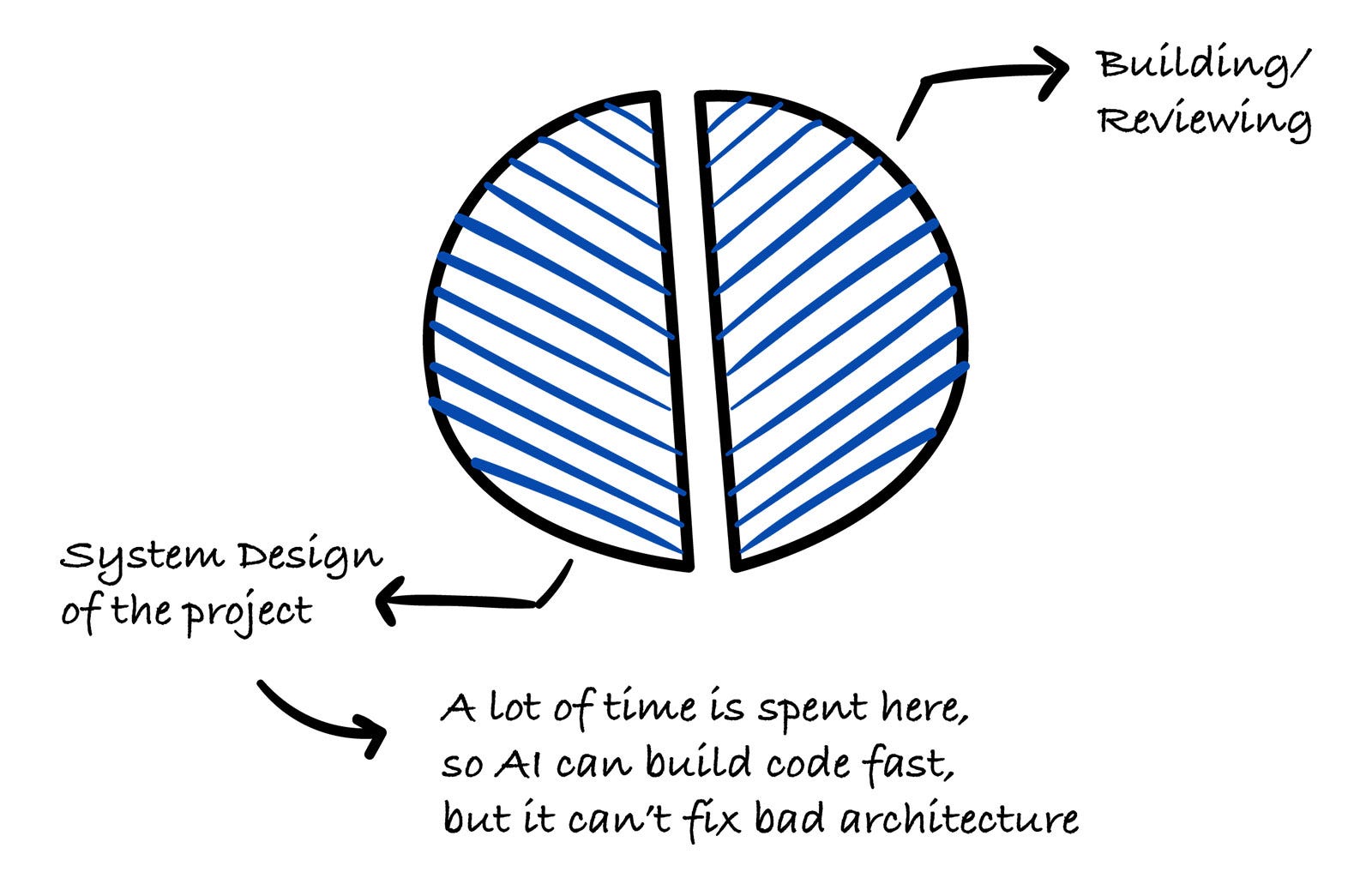
The biggest productivity gain isn’t faster coding; it’s spending more time on design, because implementation is no longer the bottleneck.
Ideation and design
This is where I spend the most time using AI, up to half of the project time. I feed raw requirements to Claude and get back an initial architecture: data model, API design, tech stack, and deployment strategy (design first).
Then I challenge every decision aggressively: “Do we need this table? What happens when this fails? Is this overspecified?” I go through multiple design versions before writing any code.
On a recent project, I did more than 10 design iterations on a simple project. AI can build code fast, but it can’t fix bad architecture.
Building
I delegate nearly all coding to AI. I write detailed specs first to ensure we build the right thing and use Linear MCP to capture tasks for agents to work on.
Although I’ve been writing code for more than 20 years, AI is generally better at it than any engineer I’ve worked with. But it does make mistakes and you must use your judgment to find them.
The design document becomes the implementation brief. I review and iterate every output, often multiple times. The first thing AI produces is a draft, not a deliverable.
For larger tasks, I run multiple Claude Code agents in parallel on different parts of the codebase.
Reviewing
AI might be better at writing code, but I’m better at knowing whether the code should exist at all. I review every file, then ask the AI to review its own output (”Review this like a senior engineer”).
This consistently catches issues the generation pass missed. I also use multiple agents to review from different angles: security, performance, correctness, simplicity, and so on.
On one project, an AI review pass found nine concrete issues before implementation. Five minutes of review saved hours of rework. Never trust the first output.
Merging and CI/CD
AI opens PRs with structured summaries and test plans and writes tickets with detailed descriptions. This is a huge time-saver and the quality is consistently better than human-written descriptions.
Claude Code also generates commits with clear messages and runs as an automated reviewer on every PR. OpenAI Codex runs nightly against my repos, scanning the full codebase, identifying bugs, and auto-opening tickets and PRs with fixes. It catches things I miss during the day.
I use AI heavily for operations work and debugging production issues.
Tools
I don’t use multiple AI tools because one is insufficient. I use them because they play different roles. For example, Claude is my interactive engineering partner, while Codex is my automated background quality gate.
Claude Code (CLI) with Opus 4.6: Primary tool for all engineering.
Claude Code agent teams: Multiple parallel agents for large tasks and multiperspective review.
OpenAI Codex: Automated nightly codebase analysis, which runs unattended, finding bugs and auto-opening tickets and PRs; I run different models to find errors in code.
GitHub Actions and Claude Code: AI-powered code review as a CI step on every PR.
Langfuse: Large language model (LLM) observability for AI-powered features in production.
uv (Python)/Bun (JS/TS): Fast package managers that keep the iteration loop tight.
Key lessons
AI doesn’t reduce iterations, it increases them.
Each one is faster, so you can afford more. Projects go wrong when someone accepts the first output and ships it.
The skill shift is from writing to reviewing.
Spotting subtle bugs, unnecessary abstractions, and confident-but-wrong AI claims requires deep experience.
Design documents are the most important artifact.
When AI generates code from them, their quality directly determines output quality.
You still need to know your craft.
AI makes experienced engineers dramatically more productive. It doesn’t make inexperienced engineers into experienced ones.
The formula: rigorous design + AI implementation + aggressive review + multiple iterations = high-quality output at speed.
The trap: no review + first-output acceptance = fast production of technical debt. The difference is discipline, not tooling.
4. Using Cursor as a Thinking Partner, Not Just an Autocomplete Tool
Shared by Florijan Klezin, Data Engineer, Samotics
I use Cursor as part of my daily engineering workflow because the repository indexing is strong, the pricing is reasonable, and I really like the overall IDE experience.
I can easily switch between models depending on the task, and the feature set is rich enough to support everything from large refactors to deeper architectural reasoning.
As a data engineer, I rely on AI for tasks like cross-file refactoring in data pipelines, generating integration tests, analyzing query plans, and running quick ad hoc analyses or plots to validate assumptions during investigations.
It’s more of a thinking partner than simple autocomplete, with output quality largely depending on how well I structure the problem up front.
5. Creating Reusable Workflows Rather Than Ad Hoc Prompts
Shared by Vlad Khambir, Senior Software Engineer, Principal Associate, Capital One
My approach to AI-assisted engineering centers on structured workflows rather than ad hoc prompting. Real productivity comes from applying AI to repeatable engineering patterns, not just isolated questions.
I’ve moved beyond using AI as a conversational assistant. Instead, I build reusable Windsurf Workflows that handle specific, recurring tasks, such as:
Pre-PR code review
PR preparation with consistent structure
Implementation planning from ticket requirements
Review of feedback processing
Each workflow is a structured prompt with defined inputs, expectations, and output formats. This eliminates the cognitive overhead of reexplaining context every time.
The biggest lesson I’ve learned is that AI doesn’t reduce work, it intensifies it. Poor context management leads to slower responses, degraded reasoning, and inconsistent results.
I apply the Agent Skills pattern (inspired by Claude’s approach) to separate three concerns:
Instructions: Markdown documents defining goals, constraints, and expected output
Resources: Static files, like style guides, templates, and internal docs
Scripts: Executable logic for external integrations (Git, Jira, etc.)
The Agent Skills keep the AI focused on reasoning instead of drowning in integration details.
Tools and stack
Windsurf: Primary AI coding environment with workflow support
Claude (via Xcode 26.3): For agentic coding with AGENTS.md, skills, and MCPs
Voice input: About twice as fast as typing, reducing the friction between thought and code
Custom linting and validation: Because AI generates tech debt faster if your process is messy
Balancing speed, structure, and human judgment
I don’t aim for full automation. Instead, workflows provide:
Structured feedback for code changes
Consistent PR descriptions
Implementation plans that respect architectural patterns
Categorized review feedback
The goal is to reduce friction and standardize routine work while keeping engineers in control.
From my experience building iOS apps with AI tools:
Tech debt accumulates faster. AI doesn’t replace a good process; it just amplifies your current process.
Hidden dependencies hurt more. That makes early dependency checks and clear agent rules essential.
Context limits are real. Be sure to separate the MCP responsibilities (data fetching) from reasoning tasks.
Speed isn’t free. If you want to ship faster, you need to debug faster.
AI tools intensify rather than reduce cognitive load. It’s like watching YouTube at double speed: You’re processing the information faster, but the mental demand increases with it.
The solution isn’t more AI; it’s better structure and clearer constraints. And it means accepting that you’re trading speed for a different kind of complexity.
This approach has helped me ship faster while maintaining quality, but only because I invested up front in workflow design and context discipline. I had to accept that AI is a force multiplier, not a replacement for engineering judgment.
6. AI-Assisted Engineering: Figma, Parallel Agents, and Learning New Tech on the Fly
Shared by Mauro Accorinti, Software Engineer, Qurable
Apart from how I am doing AI-assisted engineering, I’ll include how I’ve seen others use AI as well, since I believe that’s just as valuable.
Ideating
I’ve seen tech leads use AI to help write clear requirements in Jira tickets. The AI is given a definition of ready document, which it uses to divide the tasks into smaller chunks that the teams can take on.
AI is excellent for creating pretty clear tickets with descriptions, test cases, boundaries, and expected results.
With clearer tickets, it becomes easier to read and bring up edge cases to consider during our planning. It can be a massive time save for the tech lead, because AI can understand the tasks and create clear requirements.
Then they can just double-check the output and correct it on the spot.
Building
I’ve been building using AI agents for the last few months. Honestly, it’s changed a lot of how I work. Here are several examples.
Working with Figma MCP with IDE agents
With front-end work, my productivity has sped up a ton by using MCPs. Once set up, AI can view my Figma files and implement a design with 85–90% accuracy while integrating it to an existing Next.js project.
Things like text size or padding/margin spacing tend to be off, but the general positioning is there and I can correct the code to my liking.
I’ve found that the less accurate you are with the prompt, the worse the code is (e.g., adding font sizing to every p element instead of adding it once to the parent div element), but you learn to work with it as time goes on.
And you don’t always need to use MCP. I’ve found decent success using simple screenshots of the design.
Working with new frameworks/languages
AI has become a big help whenever I start working in repos with tech I’m not familiar with. I can now work faster and be more productive in these sorts of environments, thanks to AI helping me understand the repo better.
I describe my task to the agent, have it generate code, and then work with a separate AI to understand why the code does what it does. I can learn about the framework alongside doing my tasks in a way I couldn’t before.
I can ask questions about anything I might be worried about, like security, tests, requirements, and alternative ways to execute the same task, using common sense throughout.
This approach has cut down on the time I needed to learn about new tech before being able to work with it effectively. I run into fewer syntax and beginner errors with AI assisting me.
Doing tasks in parallel
I’m currently working on two projects. Sometimes I’m working on a big task in one project when a small task in the other project pops up.
If I have to, for example, disable a particular button while the form is submitting, I can give the task to the AI agent while I continue working in the other project.
After the AI agent’s work is done, I can quickly switch back to review the work and then create the PR, the code for which was being created while I worked on another task. This still seems crazy to me.
Helping create test cases
AI is honestly spectacular in creating unit tests for different features in a codebase. Once you create your feature, if you know what has to be tested, you can ask the agent to create the test suites needed. You can then check what was created and modify it to your specifications.
AI agents have become excellent at generating tests that don’t fail. They are now smart enough to run the test suite, detect any errors, and autocorrect until there aren’t any more before telling you the code is done.
Reviewing
In one of our projects, we use GitLab integrated with an AI that reviews all PRs and analyzes the code. This review is added as a comment to every PR.
This process does a few things. It compliments what’s good about the code and critiques elements that are missing, could be improved, or shouldn’t be included.
For example, it brings up warnings whenever you accidentally committed .envs, if the PR title doesn’t include the ticket, if test cases weren’t created or don’t consider a specific case, or if the code seems different from the rest of the specifications currently in the repo.
It’s a great first look while you wait for other devs to take a look at it.
7. Separating Generation from Verification Across the Pipeline
Shared by Lucian Lature, Solutions Architect, Wiley
When I’m doing AI-assisted engineering, I think of the AI as a high-speed collaborator throughout the entire pipeline, but I keep it on the rails with two rules: I separate generation from verification, and I separate conflicting goals into separate “modes,” or specialist agents, so security paranoia doesn’t undermine shipping and shipping pressure doesn’t undermine risk.
Building the right thing begins with ruthless problem framing
I start by writing down the problem statement, the target user, the outcome, the metric, and the non-goals. Then I use the AI to attack them, so that I get the assumptions that I must make true, the fastest way to kill those assumptions, and what I should not build.
If it’s a problem in multiple domains, I don’t use one general agent. I delegate to multiple modes, one to think about the product, one to think about the architecture, one to think about security, so that I get to the smallest testable slice with the clearest success criteria.
Design is interface-centric, tradeoff explicit
Before I write code, I have the AI to give me two plausible designs, and I force myself to make a decision by weighing cost, complexity, usability, failure cases, and so on. I define contracts early, so I know the API shape, the events, the error cases, and the data ownership.
This is where I’m likely to want to use the stronger “reasoning” model, since shallow suggestions are expensive to fix later. I also ground everything in the existing context, so that I don’t accidentally redebate old decisions or drift in style. I pull in existing decisions, conventions, and constraints so that I don’t relitigate old problems.
Implementation is where AI gives you the biggest speedup, but only with tight feedback loops
I use AI very heavily for scaffolding, repetitive glue code, mapping between different levels (schemas to types to handlers), and exploring different alternatives quickly. However, I do not use “big bang” AI commits. The cycle is generate, run, see how it goes, fix.
If I’m getting into very specialized domains, I use the appropriate expert: TypeScript-type system problems use a TypeScript-focused expert, React architecture uses a React-focused expert, infra or CI/CD uses a DevOps/SRE expert.
However, they all have one thing in common: They have smaller toolsets and domains that make them more accurate and cheaper than one monolithic expert.
Testing is intentionally adversarial and separate from code generation
I do not use the same expert that wrote the code to test it. I switch experts and ask for edge cases and negative cases and ask how this could break in production. Then I take actual bugs and turn them into regression tests immediately.
For critical paths, I’m biased toward integration tests over a forest of brittle unit tests. AI is helpful for this by coming up with cases and producing a first draft of tests. However, tests must always be deterministic, readable, and tied to a failure mode.
Code review is not one pass; it is a series of passes
I do code review in several passes: correctness and maintainability concerns first, then security concerns, and then design and performance risks. Each reviewer outputs a list of concerns with severity and location.
To do this efficiently, I use context reuse between review passes. The expensive structural understanding of the codebase is cached so that the second and third reviewers do not need to reparse everything and rediscover the same things.
Merging is about accountability, not automation
I use AI to write out the PR description, risk checklist, and test plan so that I have all clarity quickly.
However, I personally review the top-level risks just before merge because there is a risk of a “rubber stamp” problem as velocity increases and understanding decreases with AI adoption. I use it to reduce the review surface area to a minimum.
Monitoring and continuous improvement closes the loop
I define a small set of signals for each change: error rates, latency, saturation, and a single business signal if applicable.
I also use lightweight live evaluation for AI-heavy processes by sampling: cheap checks at high rates and expensive judging at lower rates. This is always done asynchronously so it does not add user-visible latency.
The tools I use to implement all of this are a cheap routing step to decide whether to use a large model, specialists for conflicting domains, hybrid retrieval so that the agent is connected to the world via real-world context, workflow primitives for repeatable patterns such as review and synthesis, and reliability primitives such as timeouts and retries so that a single stuck call does not block the entire system.
8. Using an In-House Tool to Help with Spec-Driven Development with AI
Shared by Tamás Csizmadia, Senior Java Software Engineer, Precognox Kft
We use an in-house tool called Precognox AI-Aided Development (PAID), which enhances spec-driven development with AI capabilities.
Our typical workflow begins with specifications created by our business analyst team in collaboration with developers. We use PAID to review, assess, and finalize these specs before converting them into user stories.
During refinement, we use PAID to groom stories and break them down into actionable tasks. The tool also helps us generate wireframe diagrams, user journey maps, and demo videos. Project managers and team leads can quickly create presentations for sprint demos.
As the maintainer of this internal tool I like to think of PAID as a context engineering assistant.
What makes PAID powerful is its extensibility through templates and features (something like a plugin). Any team member can contribute improvements to the tool itself.
For example, one developer recently added Figma integration via Figma MCP, and another one packaged his agentic skills as reusable components, making them available to all developers across our projects.
Currently we are preparing the MCP server feature of PAID and involve non-devs in the development process more and more.
9. Teaching AI to Catch Its Own Mistakes over Time
Shared by Matthew Kyawmyint, Founding Engineer, Humanist Venture Studios
Inspired by Every and the StrongDM Software Factory, I rely heavily on AI to ideate, research, spec, build, validate, deploy, monitor, and more.
I’m in a solo dev phase of our company, and AI (especially Claude Code) has helped me implement best practices in code and in infra/tooling that bring in more pro-level scans, testing, and monitoring setups.
If I find issues, I investigate it postmortem style: Would it be possible for AI to catch and fix these issues in the future? Can I add to AI’s senses, that is, augment what validation tools or abilities it has, so that I don’t have to be the intermediary for every little check?
After I do the postmortems enough times and add the learnings to our repos, AI gets better at addressing the types of problems we’ve already solved together. That allows me to move on to new tasks: new ideas, refactors, consolidations and refreshes, audits, and so on.
I’ve found that the more I address tech debt proactively (keeping a close eye and adding more tools to have AI watch bloat), the faster AI can move, because it doesn’t need to deal with janky AI slop of assumptions and antipatterns all over the place.
One of the difficult parts is that I heavily rely on my own instincts from working in big tech and startups large and small. When I revisit code threads and PRs, I try to understand whether, in broad strokes, we’re going in the right direction or I need to have AI deeply investigate aspects of the PR and problem, solution, and domain.
I dig into the PR code when I’m curious about things, want to learn more details on how it works, or notice something that smells off.
For PRs, I use CodeRabbit and Bito for AI-assisted reviews, as well as other CI steps that run CodeQL, in addition to other validation patterns. This helps me a lot, like having a second pair of eyes.
I use new worktrees for each new issue or thread (unless I want to double up on a thread for some reason). I have a custom script that copies over MCPs and other useful tools, in addition to setting up fresh worktrees.
I regularly use OpenAI Codex for a second opinion on those threads, but that’s a newer workflow I’m still smoothing out.
10. Using a Custom Planning Skill Optimized for Exploring the Best Solution
Shared by Hans Vertriest, Full-Stack Engineer, Bizzy
With Claude Code, I use a custom planning skill optimized for exploring the best solution for the problem, where the AI asks critical implementation questions and we go back and forth until I agree with it.
When execution is done, I review the changes by adding comments with a Visual Studio (VS) Code extension, which saves the comments to a notes.json file. I still use VS Code so that I can directly make smaller changes and fixes myself.
After review, I call a custom implement-notes skill, which reads out the note.json file. This loop keeps going until I get a clean, readable result.
All GitHub PRs are automatically reviewed by Copilot.
11. Spec-Driven Development at Scale
Shared by Uladzimir Yancharuk, Engineering Team Lead and Senior Full-Stack Engineer, Siena AI
Process and tools
I’ve been implementing code as a full-stack engineer for almost 20 years, most actively for the past 6. I tried Cursor, Claude Code, and Codex about 10 months ago. I settled on Claude Code (Max 5 subscription) as my primary tool within a month, but I’ve recently started experimenting with Codex again.
Where I use AI
At Siena, provider of AI agents for customer support automation, I mainly work across two repos: a JavaScript/TypeScript back end (over 230,000 lines of code) and a React front end (over 200,000 lines of code).
On the side, I’m cofounder of language learning app Menura (2,000 ratings worldwide) for which I fully reworked the onboarding flow and built an AI voice tutor with Claude Code (over 50,000 lines of code on the back end and over 60,000 lines of code on the front end).
The language-level assessment with AI tutor is handled entirely from the client device using ChatGPT’s gpt-realtime model.
My process for spec-driven development
1. Setting up the project
I keep CLAUDE.md under 100 lines, including only project-specific rules, such as error handling patterns and import constraints. I added architecture docs in /docs/ as high-level component maps (docs/SystemComponents.md and others), using them to prime context at the start of every session.
Task specs live in /specs/, while big modules have their own README.md in their folders. All of these markdown files exist primarily for AI coding agents, not humans.
2. Priming the context
Every session starts with a prime_context command that reads the project tree and key architecture docs, so Claude Code has the right mental model before touching anything.
3. Planning before coding
As well, every session starts in planning mode, with a back-and-forth with Claude. I continuously monitor context usage with a customized status bar and keep it to no more than 40% before moving to implementation.
For big, important features, I ask it to produce a structured spec (specs/feature-implementation-plan.md) that’s broken into high-level objective, method changes, type changes, and test changes.
This is the most important step, because it prevents Claude from going off-track and gives me a chance to catch design mistakes before any code is written.
I often use links to already implemented PRs as a starting point for planning, such as building a new feature based on the patterns and approach from a past implementation. Smaller tasks don’t need a formal spec; the planning conversation is enough.
4. Implementing from spec
Once the spec looks right, I tell Claude to implement it. Because the plan is explicit and scoped, the output is better than if I just said “Build X.”
5. PR reviews
I also actively use Claude Code for PR reviews with custom requirements for quick issue and inconsistency detection. These reviews catch things I’d miss on a manual pass, especially across large PRs.
How my approach helps productivity
The spec-driven approach means the specs, which are essentially detailed prompts, also serve as artifacts. They can be reused by AI agents as examples for future implementations, with each feature you build accelerating the next one.
Although I’m primarily a back-end engineer, Claude Code has helped me to fully handle front-end code implementation as well. Sometimes I use Google’s Stitch to improve existing pages or extend the user interface without needing to involve a designer.
For Menura, I shipped a complete AI voice tutoring feature, which includes real-time conversations, speech-to-text, text-to-speech, lesson flow, essentially solo, which otherwise would have taken a small team to complete.
At Siena, AI lets me move quickly across a large codebase while maintaining quality. I’m now using Codex for smaller, well-scoped async tasks like refactors or test generation where I don’t need the interactive back-and-forth.
At the end of 2024, I wrote a Medium article on using LLMs for code generation from a public GitHub repo that was the starting point of me experimenting and testing the abilities of LLMs to generate code, and the workflow has evolved significantly since then.
12. Using Claude Code as a Primary Engineering Companion
Shared by Frances Coronel, Senior Software Engineer, Slack
I’m a senior software engineer at Slack, where I focus on building new features for the sidebar and notifications system, and I use Claude Code as my primary AI engineering companion.
Here’s my process across the development lifecycle.
Codifying my standards with CLAUDE.md
The most impactful thing I’ve done is invest heavily in CLAUDE.md files: persistent instruction files Claude reads in every session. I maintain both a global one (personal standards) and a project-level one (codebase-specific patterns).
I encode branch naming, commit workflow, PR templates, code quality checks, file length guidelines, and even Slack update formatting.
Instead of repeating myself every session, Claude follows my playbook automatically. For example:
Always create PRs as drafts with auto-merge enabled, run TypeScript + Prettier + ESLint before every commit, and commit/push after each completed change.
Once codified, Claude just executes the full pipeline.
Ideation and planning
For nontrivial features, such as net-new components and huge refactors, I use plan mode. Claude explores the codebase, reads relevant files, and proposes an approach before writing code. I review and approve before implementation.
I also enforce a strict rule: Never propose changes to code you haven’t read. This ensures it respects existing patterns and avoids hallucinating solutions.
Building
When I’m building, I describe what I need, such as features, flag cleanups, and bug fixes. Claude reads the relevant files first, implements changes following existing patterns, and then runs the full quality pipeline: type check, format, lint, commit, and push. Each commit is atomic and focused.
I also use shared internal plugins for repetitive tasks, such as:
Toggle cleanup for removing concluded feature flags (I created this one!)
A CI plugin to auto-diagnose and -fix CI failures
Playwright test generation from natural language flows
Front-end copy internationalization checks
These remove a huge amount of boilerplate work.
MCP integrations
Claude connects to internal tools via MCP servers. I’ve integrated Slack (searching threads, drafting messages, providing context from conversations), our feature flag platform, analytics/data warehouse (SQL queries), and Figma (design screenshots).
This lets Claude look up rollout percentages, search Slack for bug context, or query analytics without me switching tools. I recently used a few of these MCPs to merge in a fix for a SEV2 incident in 27 minutes from start to finish.
Hooks and notifications
I use macOS notification hooks so Claude alerts me when it finishes a task or needs input. Different sounds signal different states. This lets me delegate work asynchronously instead of watching it run.
Code review and PR creation
Claude generates structured PR descriptions using my template: why, testing checklist, before and after demos, risk assessment, revert plan, preview links, and cross-references to Jira and Slack threads.
Every PR is created as a draft with auto-merge enabled and opened automatically so that I can add reviewers while CI runs.
Monitoring and debugging
Our Claude plugin diagnoses and fixes CI failures automatically. Slack MCP helps me gather context on incidents without leaving my terminal.
Tool summary
Claude Code (CLI) running Claude Opus via AWS Bedrock
CLAUDE.md files (global and per-project workflow standards)
MCP servers (Slack, feature flags, analytics, Figma)
Plugins (CI auto-fix, toggle cleanup, codebase search)
macOS hooks for async notifications
GitHub CLI (gh) for draft PR creation and auto-merge
Warp for terminal
Claude Code status line (custom one at Slack we use from DevXP AI team)
The real ROI of AI-assisted engineering isn’t the model, it’s codifying your standards and making sure the developer experience from end to end is top notch.
Every time I repeat an instruction, I encode it. The AI improves because my expectations get clearer. Clear standards produce consistent results.
13. Using AI to Interview Myself Extensively for Each Product Idea
Shared by Gilad Naor, Founder, Naor Tech
I use AI to interview myself extensively for each product idea. Instead of writing a spec, I have the AI push and prod me, challenge my assumptions, and dig for more details. This usually takes 30–60 minutes, and the end result is the detailed spec that I use with Claude Code.
On the coding side, I break the work into small slices. I ask Claude in planning mode to create an Elephant Carpaccio style plan.
I now have a bias for languages and tools with strong guarantees, such as Rust. I invest most of my effort at the start, building the quality harness. After that I try very hard never to look at the code. I focus on the quality of the integration tests and on manual E2E QA.
14. Embedding AI Across the Workflow, but Always with Humans Making the Key Decisions
Shared by Anyell Cano, Staff Engineering Manager, GitHub
My organization at GitHub owns infrastructure and platform systems where scalability and performance requirements are beyond what’s needed in most systems out there.
That context shapes how I think about risk, automation, and where AI fits in the process. The words below are mine and don’t represent GitHub as a company
This is how I work
My product partner owns the business roadmap, translating business needs into clear requirements. My role as an engineering manager is to build the technology roadmap.
Together, we define the priorities for the organization: the what and the why. From there, I assign engineers to each project. Every project has one directly responsible individual (DRI) who owns the overall outcome.
I encourage collective ownership and an inclusive culture, but I believe every project needs a clear point of contact.
The DRI is responsible for analyzing requirements and proposing a solution. I am a strong believer in written documentation: architecture decision records for medium-sized and large projects and well-documented issues for smaller features.
For medium-sized and large projects, the broader team vets the design. This is the phase I get most personally involved in. Design is my favorite part of building software. Once the design is approved and no major concerns are raised, implementation begins.
Delivery is something I care deeply about. I believe in shipping small, iterative features, avoiding premature optimization, and keeping a laser focus on the goal. Ship to learn. Stay close to the customer.
Where AI fits in this process
AI is embedded across our workflow but always with humans making the key decisions:
Documentation
Engineers use AI to draft and improve written artifacts throughout the process.
Code generation
Each engineer uses the tools that work best for them. I trust my engineers to pick the right tool for the job or the tool they are more comfortable with. This applies to agents or IDE.
PR reviews
AI assists with code review, but a human always makes the final call.
Merging
Always a human decision. This feels natural and right to us.
Monitoring
This is an area of active growth. AI is proving very useful for early detection, gap analysis, anomaly detection, and surfacing insights from historical data. Observability tooling in this space is evolving fast, and we are paying close attention.
Deployment
This is fully automated with classic CI/CD. Given the criticality of the systems I oversee, this is the last area where I will consider deeper AI integration. That said, I do see significant potential in AI-driven proactive recommendations during rollouts, especially when paired with the observability capabilities above.
Beyond the engineering workflow, we also use AI heavily for collaboration: transcribing meetings so no one has to take notes, summarizing long threads, and surfacing action items from conversations.
I find it genuinely exciting to work alongside engineers who are finding creative, practical ways to weave AI into their daily work. Seeing it in action, not just in theory, is what builds conviction.
15. AI-Assisted Engineering in Phases
Shared by John Crickett, Founder and CTO, Coding Challenges
My workflow relies on leveraging the coding agent for multiple steps in the software development lifecycle.
That means everything from creating a high-level project specification through the development and review of more detailed requirements, the creation of a design and a breakdown of the tasks required to implement the design and deliver software to meet the requirements.
Setting Up The Project
My workflow assumes some structure exists in the project:
project/
├── AGENTS.md
├── CLAUDE.md
├── design/
├── memory/
├── plan/
└── spec/
└── project.mdThese are used as follows:
AGENTS.md - This is the agents file, built on the AGENTS.md specification, it should contain the least amount of detail to required to guide the agent through the project. Covering: Commands, Project Structure, and Process.
design - Any design documents created will be stored here.
CLAUDE.md - This is directs Claude Code to read the AGENTS/md file.
memory - A record of what has been learned during the development of the project. It provides a basic “memory” for the LLM between context windows.
plan - Any plans created will be stored here.
spec - Any specifications and requirements created will be stored here. The starting point for a project is a project.md that should provide the high level overview of the project and requirements.
All of these can be generated using tools/init.sh, which will create this structure in the current working directory.
Specifications
Creating the high level specification
After creating the AGENTS.md and spec/project.md with the tools, they should be edited. All sections in curly braces (i.e., {PROJECT TITLE}) should be replaced with the relevant details.
For example, for a Rust project, the AGENTS.md would go from the template to:
## Commands
- Build: `cargo build` (compiles Rust, outputs to target/)
- Test: `cargo test` (runs the tests, must pass before a task is consider complete)
- Lint: `cargo clippy` (check for possible issues)
## Project Structure
- `src/` – Application source code
## Process
- Always write tests before implemeting functionality.
- Always ask before adding dependencies.
- Always ask before modifying existing tests.
- Never change a test to make it pass.Update the process to reflect your own development processes.
The spec/project.md should be similarly updated. Again all sections in curly braces (i.e.: {PROJECT TITLE}) should be replaced with the relevant details.
For example for a simple Redis Like Server it might become:
# Project Spec: Redis Like Server
## Objective
- Build a Redis like server in Rust. It should support multiple concurrent clients, connected via TCP using the RESP2 protocol. The server should support the commands: SET, GET, EXISTS, DEL.
## Tech Stack
- Rust 2024 editionCreating detailed requirements
Having created the high level detail, use the agent to create a requirements document. I do this using the prompt:
Read specs/project.md and ask me questions to help refine a set of requirements for this project.
Use the The Easy Approach to Requirements Syntax for the requirements, write them to ./specs/requirements.md
The Easy Approach to Requirements Syntax (EARS) is a mechanism to gently constrain textual requirements. The EARS patterns provide structured guidance that enable authors to write high quality textual requirements.
Generic EARS syntax:
The clauses of a requirement written in EARS always appear in the same order. The basic structure of an EARS requirement is:
While <optional pre-condition>, when <optional trigger>, the <system name> shall <system response>
The EARS ruleset states that a requirement must have: Zero or many preconditions; Zero or one trigger; One system name; One or many system responses.I then answer the questions the agent asks, and when it produces it, review the resulting spec/requirements.md.
If it’s relatively close, I might edit it myself; if it’s far off, then I clear the agent’s context window, refine the psec/project.md, and repeat the process to get another spec/requirements.md, until I am satisfied that it reflects my current understanding of the project.
Planning
Ask the agent to review the requirements and create a plan alongside a set of requirements for each step.
Review the updated set of requirements and create a plan that details the tasks needed to implement the requirements.
Output the plan to plans/plan.md add one line per task. Create one specification file per task in the specs folder.
Example plan file:
# Implementation Plan
| Task | Description | Spec | Requirements |
|------|-------------|------|--------------|
| [ ] 01 | Setup project | [task-01-project-setup.md](../specs/task-01-project-setup.md) | REQ-03 |
| [ ] 02 | Create Table | [task-02-create-tables.md](../specs/task-02-create-tables.md) | REQ-02, REQ-11 |We're done with planning, so clear the context and switch to building.
Building
Prompt the agent to build the first (or next) item:
Read specs/prd.md for an overview of the project.
Read plans/plan.md, pick the next most important task and read the relevant specification from the specs directory.
If it exists, read memory/learnings.md.
After reading the specification create a set of tests to verify the implementation behaves correctly. Then create the code required to meet the specification. Very the functionality is correct using the tests.
Before marking the task as done in plans/plan.md ensure the code lints without issue.
If you learn anything that will be needed for future tasks, record it in memory/learnings.md.
Stop after completing one task.Once the agent claims the task is complete, test it.
If it does not work, provide errors and detailed feedback to the agent. Until it does.
When it works, commit the changes. Clear the context and then repeat the build step until the full plan is implemented.
Code review and fix
Ask the agent to code review the project.
Review the code in this project. Look for possible logic errors and failures to write idiomatic code.
## Instructions
1. Read all the code in the repository.
2. Run the tests against the code and ensure they pass.
3. Run the appropriate linter and formatter for the programming language.
4. Check the code against best practices for the programming language of the file.
5. Check the code is clear, easy to read and simple.
6. Check the code is consistent with the majority of the code in the project.
7. Suggest any refactoring opportunities.
Report any issues in a file codereview.mdAsk the agent to create a plan to address the issues:
Create a plan to fix these issues, save it to plans/fix-codereview.md detail the fixes required in specs/coderevew-{ITEM}.md replaceing {ITEM} with a name for the item that relates to the step in the planOnce a plan has been created, prompt the agent to fix the next item:
Read specs/prd.md for an overview of the project.
Read plans/fix-codereview.md, pick the next most important task and read the relevant specification from the specs directory.
If it exists, read memory/learnings.md.
After reading the specification create any new tests required to verify the implementation behaves correctly. Then create the code required to meet the specification. Very the functionality is correct using the tests.
Before marking the task as done in plans/fix-codereview.md ensure the code lints without issue.
If you learn anything that will be needed for future tasks, record it in memory/learnings.md.Important
If, during the workflow, you notice requirements are missing, have the agent update the requirements and the plan. Then review it. Clear the context before returning to building.
Last Words
Special thanks to all the engineers and engineering leaders who shared their insights and experience on how to do AI-assisted engineering.
I hope you enjoyed this special edition newsletter, where I brought together tech professionals who shared their insights!
Liked this article? Make sure to 💙 click the like button.
Feedback or addition? Make sure to 💬 comment.
Know someone that would find this helpful? Make sure to 🔁 share this post.
Whenever you are ready, here is how I can help you further
Join the Cohort course Senior Engineer to Lead: Grow and thrive in the role here.
Interested in sponsoring this newsletter? Check the sponsorship options here.
Take a look at the cool swag in the Engineering Leadership Store here.
Want to work with me? You can see all the options here.
Get in touch
You can find me on LinkedIn, X, YouTube, Bluesky, Instagram or Threads.
If you wish to make a request on particular topic you would like to read, you can send me an email to info@gregorojstersek.com.
This newsletter is funded by paid subscriptions from readers like yourself.
If you aren’t already, consider becoming a paid subscriber to receive the full experience!
You are more than welcome to find whatever interests you here and try it out in your particular case. Let me know how it went! Topics are normally about all things engineering related, leadership, management, developing scalable products, building teams etc.


