This week’s newsletter is sponsored by DX.
How 18 Top Companies Measure AI’s Impact on Engineering
Written by Laura Tacho, CTO at DX, this new industry report explores how 18 engineering organizations—including Dropbox, Microsoft, GitHub, Atlassian, Adyen, Booking.com, and Grammarly—are measuring AI’s impact on software development.

Inside this report, you’ll learn:
Common patterns: Why most companies track speed, quality, and maintainability alongside AI usage.
Unique metrics: A deep dive on Microsoft’s “Bad Developer Days” and Glassdoor’s experimentation measures.
Practical guidance: How to get started with the AI Measurement Framework and guidance for collecting metrics.
Thanks to DX for sponsoring this newsletter, let’s get back to this week’s thought!
Intro
Using different tools that are available to make your day-to-day easier and more productive is what great engineers do.
AI is a tool like any other just the difference is that it’s a lot more ambiguous to use. You rarely get a “Complete Guide” on how it can actually be helpful, specific to your daily tasks.
But in this article, we’ll try to get as close as possible to give you a complete blueprint!
There are a bit more code examples than in a regular article, and the reason for that is that they are extremely useful and helpful. They give you a blueprint on how you can structure a specific prompt and what output you can expect.
You can use this framework for a variety of different SWE tasks. We’ll go through examples of what is possible. Definitely try it out and let me know how it goes!
If you like these kinds of articles, where we share insights on how you can use AI to be more effective, you’ll like these articles as well:


Let’s introduce our guest author for today’s article and get started!
Introducing Steven Levey
Steven Levey is Founder and CEO at Revtelligent, with over 15 years of experience leading innovation across startups and large enterprises.
He’s built and scaled multiple tech companies from the ground up and led transformative AI initiatives at public companies like SailPoint.

Today, Steven specializes in helping organizations move from AI theory to real-world impact → translating hype into measurable business outcomes.
At Revtelligent, he’s focused on helping engineers and leaders to become indispensable AI authorities within their companies.
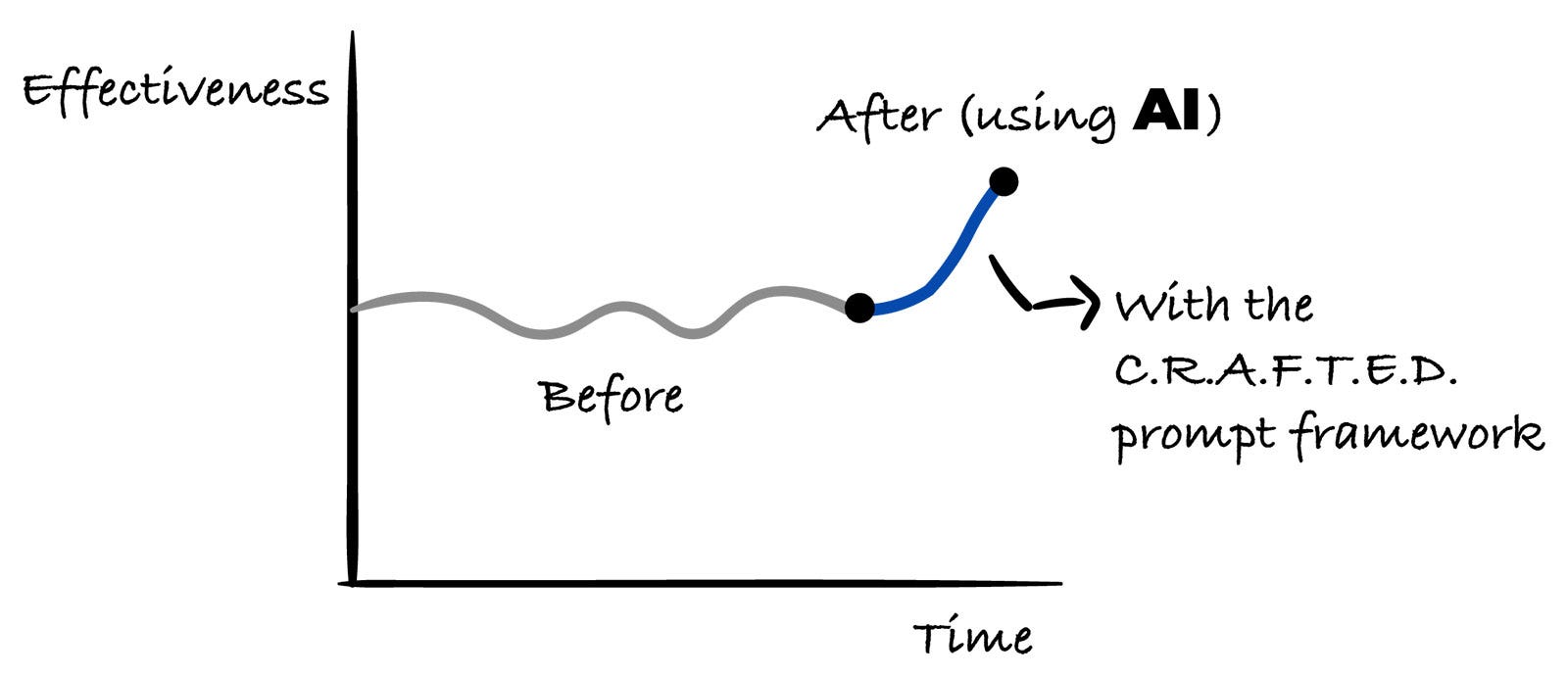
The C.R.A.F.T.E.D. Prompt Framework for Software Engineers
This framework provides a structured, repeatable method for constructing high-quality prompts to get the best possible results from AI models for software engineering tasks.
It builds on the core concepts of providing persona, context, and clear instructions, but organizes them into a logical workflow that mirrors how a developer might approach a problem.
The acronym C.R.A.F.T.E.D. stands for:
Context: Provide the background and the “what.”
Role: Define the persona the AI should adopt.
Action: State the primary, specific task.
Format: Specify the structure of the desired output.
Tone: Define the communication style.
Examples: Show, don’t just tell.
Definition of Done (Constraints): Set the rules and boundaries.
1. Context (The “What”)
Context: Provide the background and the “what.”
Goal: Prime the AI with all the necessary information before giving it a task. This is the most critical step. Just as you would read a bug ticket or user story before writing code, you must provide the AI with the relevant “books from the library.”
Why this is important: Placing the context first “primes” the model, ensuring its entire “thought process” is grounded in the specifics of your situation. It prevents the AI from jumping to conclusions based on a premature instruction and forces it to analyze the provided data before acting.
What to Include:
Code Snippets: The function, class, or component to be worked on.
Error Messages & Stack Traces: The full output of a failed process.
API Documentation or Schemas: The structure of data or endpoints.
File Diffs: The changes from a commit or pull request.
User Stories or Requirements: The description of the feature or bug.
Relevant Configuration: package.json, Dockerfile, tsconfig.json, etc.
Working Example: Using C.R.A.F.T.E.D
<prompt>
<context>
I’m working with this JavaScript utility function:

    ```javascript
    // utils.js
    export function isString(value) {
      return typeof value === ‘string’;
    }
    ```
    I also have this other function in a different file that needs to be updated:
    ```javascript
    // dataProcessor.js
    import { isString } from ‘./utils.js’;

    function processData(data) {
      // ... some logic
      if (typeof data.name == ‘string’) { // This line is non-compliant
        console.log(”Processing a string name”);
      }
      // ... more logic
    }
    ```
Our team’s style guide explicitly states: “For all runtime type checking, wrapper utility functions from `utils.js` must be used instead of the `typeof` operator directly. This ensures consistency and allows for easier logging and debugging in the future.”
</context>

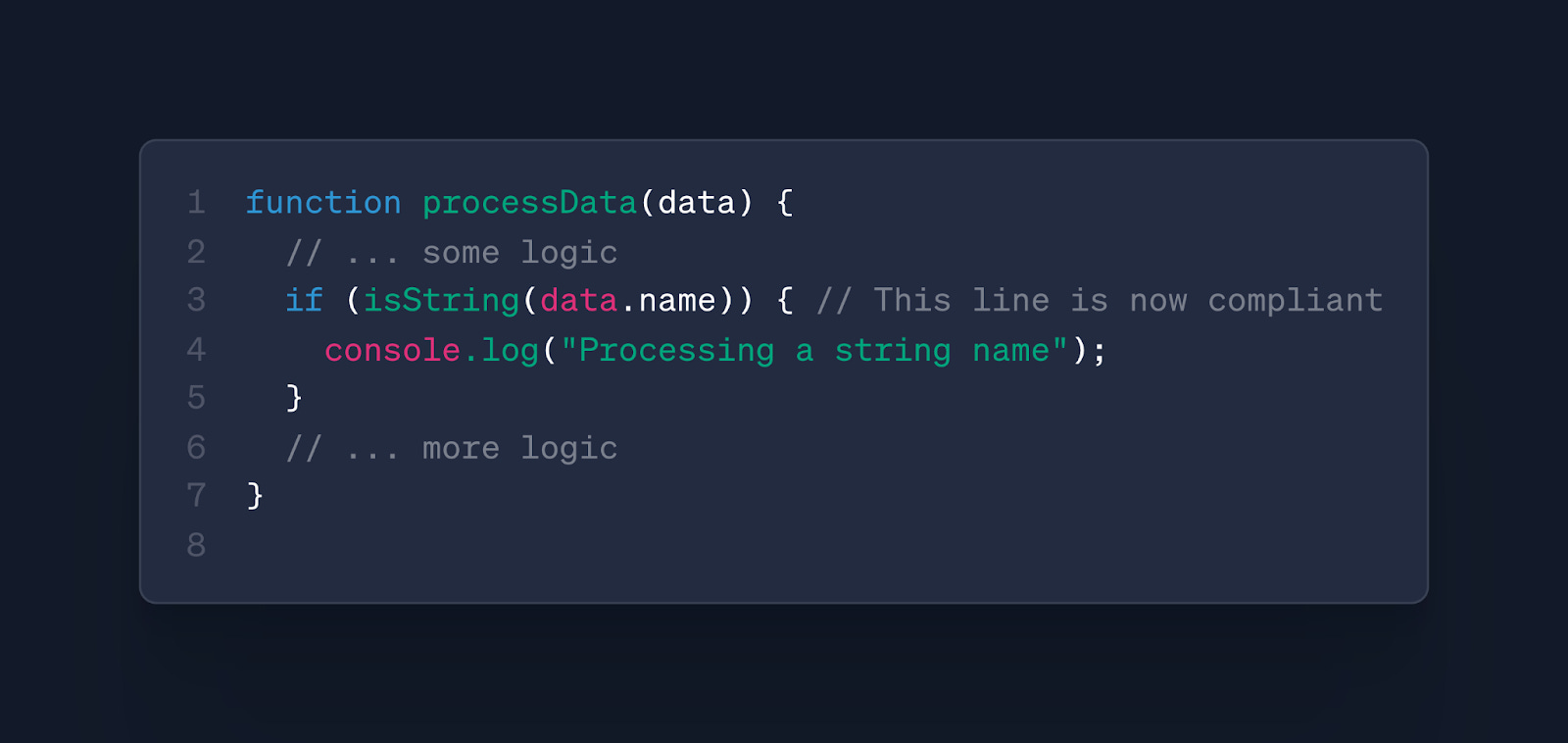
Update the `processData` function in `dataProcessor.js` to comply with the provided style guide rule.

</prompt>
Resulting AI Output:
2. Role (The “Who”)
Role: Define the persona the AI should adopt.
Goal: Tell the AI who it should be. This focuses the model on a specific domain of knowledge, improving the relevance and quality of its response.
Why this is important: Defining a role provides a lens through which the AI should analyze the context. An instruction to “find issues” will yield vastly different results if the AI’s role is a “cybersecurity expert,” a “performance optimization specialist,” or a “UI/UX designer.” It narrows the model’s focus to the most relevant part of its training data.
Working Example: Using C.R.A.F.T.E.D
<prompt>
<context>
Review the following AWS IAM Policy document. This policy is intended to grant read-only access to a specific S3 bucket for an application.
```json
    {
      “Version”: “2012-10-17”,
      “Statement”: [
        {
          “Effect”: “Allow”,
          “Action”: “s3:*”,
          “Resource”: “arn:aws:s3:::my-company-reports”
        }
      ]
    }
```
</context>
<role>
Act as a principal security engineer specializing in cloud infrastructure. Your primary concern is identifying potential vulnerabilities, race conditions, and insecure defaults.
</role>

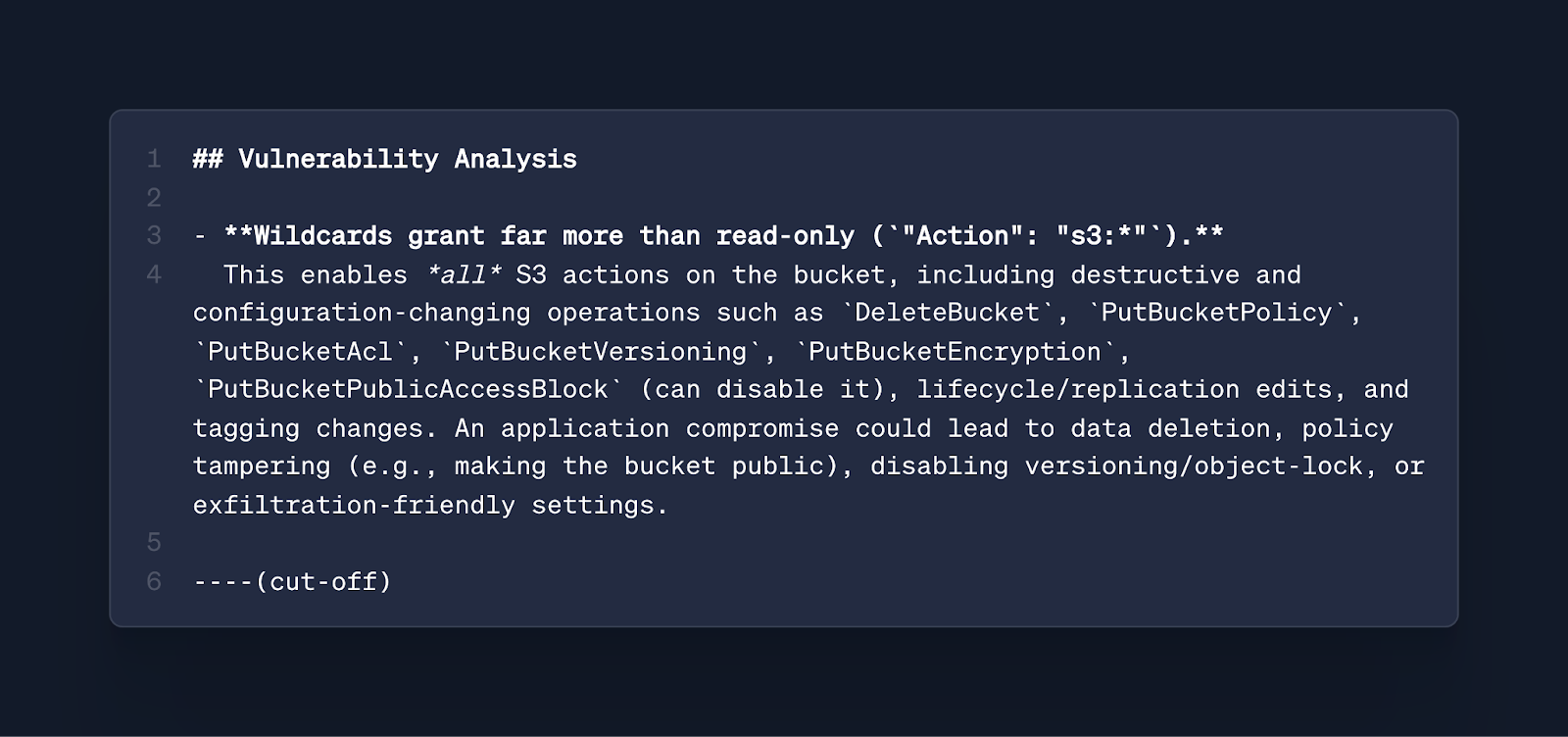
Analyze the provided IAM policy for security vulnerabilities. Identify any overly permissive settings and explain the potential risks.

Provide your analysis in Markdown. Use a heading “## Vulnerability Analysis” and then a bulleted list to describe each issue.

</prompt>
Resulting AI Output:
3. Action (The “Do”)
Action: State the primary, specific task.
Goal: State the single, most important task you want the AI to perform. Be specific and unambiguous. Use strong, direct action verbs.
Why this is important: A clear, direct action verb removes all ambiguity about the primary objective. After being primed with context and role, the AI is ready for a specific command. Vague requests lead to generic answers; a precise action leads to a precise result.
Example:
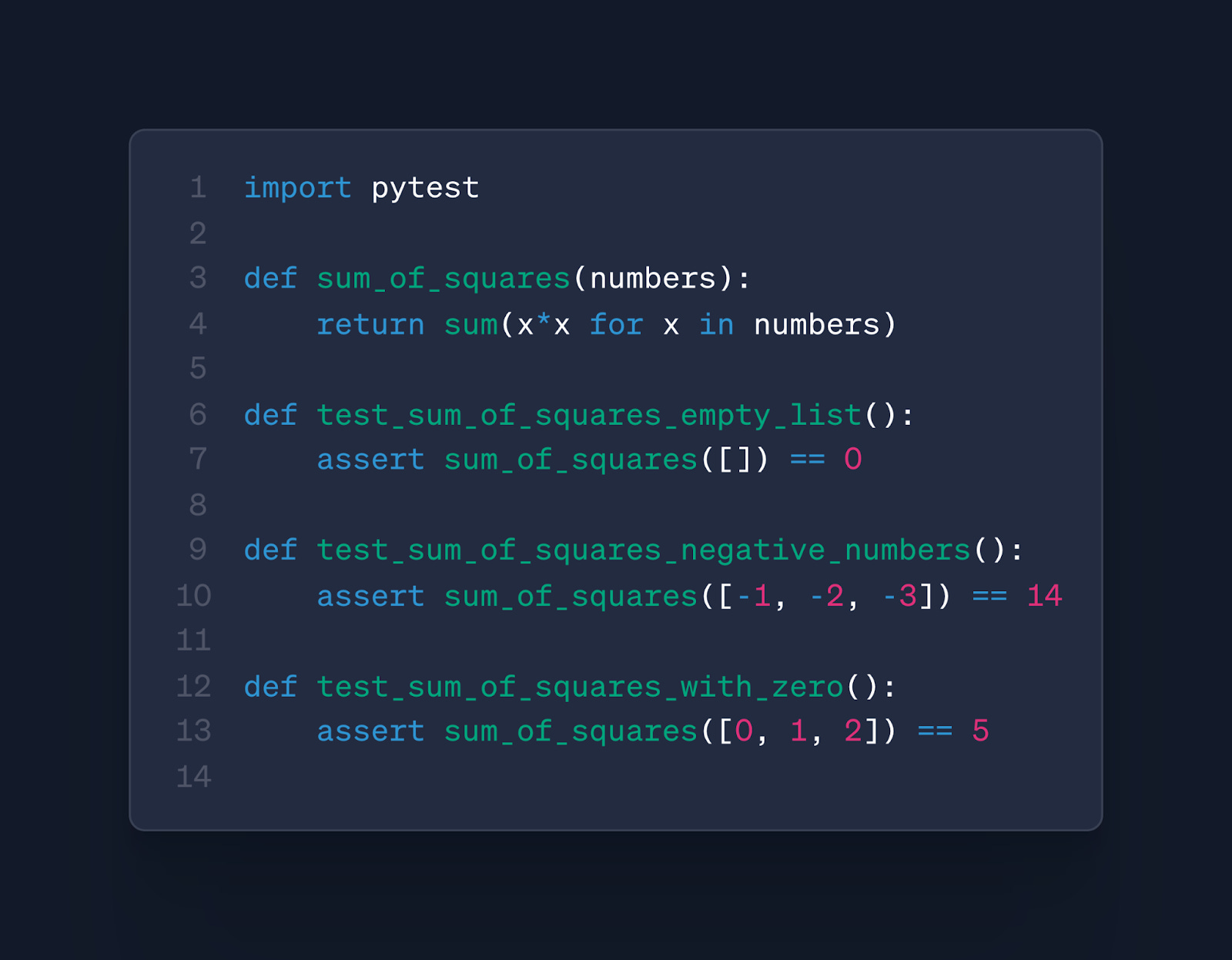
“Generate three edge-case unit tests for the provided Python function using the pytest framework.”
Working Example: Using C.R.A.F.T.E.D
<prompt>
<context>
Here is a Python function that calculates the sum of squares for a list of numbers.

    ```python
    def sum_of_squares(numbers):
        return sum(x*x for x in numbers)
    ```
</context>
<role>
You are a software engineer specializing in test-driven development with Python.
</role>
<action>
Generate three distinct unit tests for the provided Python function using the `pytest` framework. Each test must cover a different edge case: an empty list, a list with negative numbers, and a list containing zero.
</action>
Return only the Python code for the tests in a single code block. Do not include any explanation.

</prompt>
Resulting AI Output: